Reading Search Console position and CTR with AI Overviews
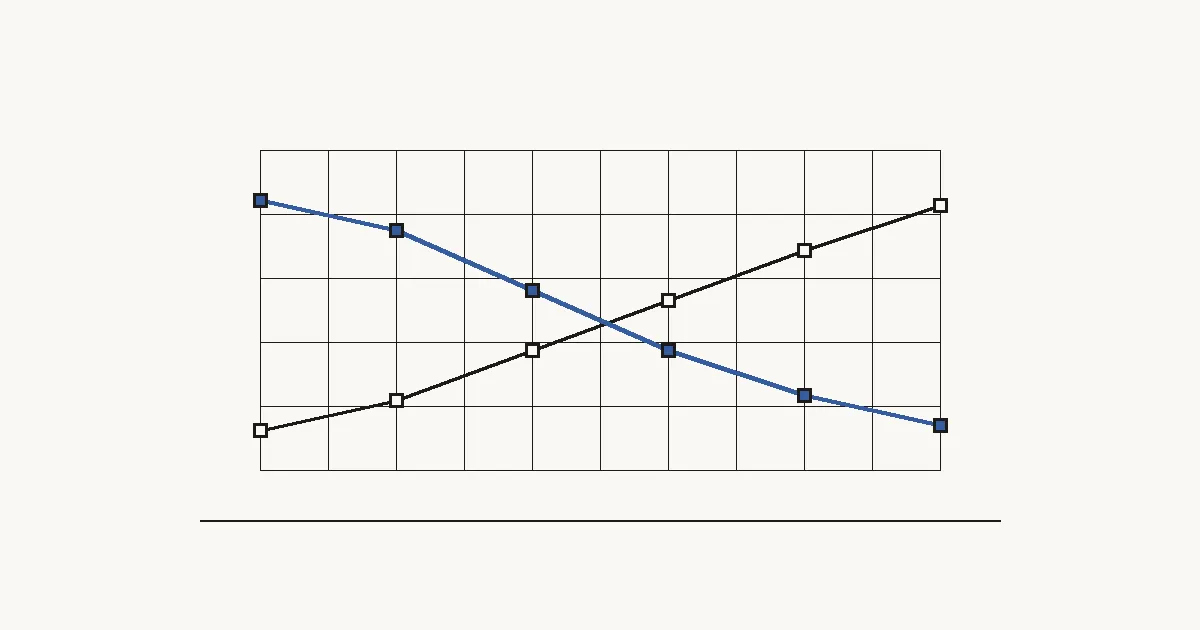
In Search Console, an AI Overview takes a single position and every link in it shares it; its clicks and impressions are included in the Web search type. So your average position can improve while CTR drops, without your content changing. The generative AI report shows impressions only: compare periods, split clicks from impressions, and don't assume causes.
Key points
- According to Google, an AI Overview occupies a single position in search results, and every link in it is assigned that position.
- AI Overviews and AI Mode data sit inside the Performance report under the Web search type, mixed with classic results.
- The generative AI performance report has been available to all sites since 31 August 2026. As of 27 October 2026 it shows impressions only, by page, country, device and date, and Google has said it may add metrics.
- Average position going up while CTR goes down may mean you're being cited in AI Overviews, not that your content got worse.
- Studies with published methodologies agree organic CTR falls when an AI Overview appears, but they measure different samples, markets and periods: they're no substitute for your own data.
How does Search Console count AI Overviews and AI Mode?
Search Console includes AI Overviews and AI Mode data in the Performance report, under the Web search type, alongside every other result. Google explains this in its page on AI features and your website and sets out the rules in its help article on impressions, position and clicks:
- AI Overviews. A click on a link to an external page counts as a click, and standard impression rules apply. The AI Overview occupies a single position in search results, and all its links are assigned that same position.
- AI Mode. Clicks to external pages count as clicks and impressions follow the standard rules. Position follows the same methodology as a Google results page. A follow-up question counts as a new query, with its own impressions, position and clicks.
- Search Labs. Search Console doesn't include data from Search Labs experiments.
Average position is the topmost position a link to your property holds for each query, averaged across all the queries you appeared for, and in the same help article Google warns that it's a complex metric that can be misleading, so it recommends watching how it changes over time rather than just its absolute value.
What does the generative AI performance report show?
The generative AI performance report is a Search Console view that shows impressions only in AI Overviews and AI Mode. Google announced it on 3 June 2026 on the Search Central blog and rolled it out to all sites on 31 August 2026.
What it gives you:
- impressions grouped by page, country, device or date;
- a search type filter: text-based web or multimodal (image searches such as Google Lens or Circle to Search);
- export of chart and table data.
What it doesn't give you, as of 27 October 2026: clicks, CTR, position or queries (Google has said it may add metrics). Its data is already included in the overall Performance report, so you shouldn't add the two together.
Why can position go up while CTR goes down?
Because an AI Overview citation can give you a high position and few clicks at the same time. If the AI Overview sits at the top and your link is inside it, that query records the AI Overview's position as your topmost position. If the user gets what they need from the summary and doesn't click, you gain a well-positioned impression with no click: average position improves and CTR falls.
The effect gets blurred in the data because the Performance report doesn't tell you, query by query, whether the impression came from the AI Overview or a classic result. That's why we treat a position rise with a CTR drop as a hypothesis to check, not a diagnosis.
| What you see in Search Console | What it may mean | What not to conclude |
|---|---|---|
| Average position rises, CTR falls | You're cited in AI Overviews for queries where you weren't near the top before, or the set of queries earning you impressions has changed | That your content or title tags got worse |
| Impressions jump, clicks stay flat | You're gaining presence without extra clicks, in classic results or in AI features | That the rise comes from AI without checking the generative AI report, or that you're losing traffic: clicks haven't dropped |
| Clicks and CTR fall on question or comparison queries | Those queries may be showing more AI Overviews | That the AI Overview is the cause, without checking the results page |
| A page has a high AI impression share | A large part of that page's impressions come from AI features | Its CTR inside AI Overviews: the report has no clicks |
| One month looks very different from the last | Changes in query demand, seasonality or the results page | A trend: one month isn't enough |
What do studies say about CTR with AI Overviews?
Studies with published methodologies agree that organic CTR is lower when an AI Overview appears, but they measure different things and aren't comparable with each other:
| Study | What it measured | Sample and period | Main finding | Limitations |
|---|---|---|---|---|
| [Ahrefs](https://ahrefs.com/blog/ai-overviews-reduce-clicks-update/) (4 February 2026) | Average desktop CTR at position 1, using aggregated Search Console data | 300,000 keywords (150,000 with an AI Overview, 150,000 informational without); December 2023 vs December 2025 | Position 1 CTR for AI Overview keywords fell from 0.073 to 0.016; Ahrefs estimates a reduction of around 58% versus what it would expect without an AI Overview | Desktop only; the figure is an estimate based on a control group; published by an SEO tool vendor |
| [Seer Interactive](https://www.seerinteractive.com/insights/aio-impact-on-google-ctr-2026-update) (April 2026) | Organic and paid CTR by AI Overview presence and brand citation | 53 brands, 5.47 million queries, 2.43 billion organic impressions; January 2025 to February 2026 | Organic CTR with an AI Overview fell to 1.3% in December 2025 and rose to 2.4% in February 2026; being cited delivered 120% more clicks per impression than not being cited, but 38% fewer than queries with no AI Overview | AI Overview presence is a fixed label from the latest snapshot applied to every month; an agency's client brands |
| [Semrush](https://www.semrush.com/blog/ai-overviews-commercial-modifiers-study/) (21 October 2026) | How often AI Overviews appear on commercial searches | 400 commercial keywords in banking, software and ecommerce; US desktop data; September 2025 to August 2026 | AI Overviews appeared for 88% of those keywords in August 2026, up from 45.75% in September 2025 | Doesn't measure CTR; fixed panel of 400 keywords; US only; published by an SEO tool vendor |
Two of Seer's findings fit the method in this article. In its sample, cited brands saw CTR fall because impressions more than doubled while clicks held steady, which is why Seer advises looking at clicks and impressions separately before reading anything into CTR. And among its informational queries, comparisons triggered an AI Overview 95.4% of the time (267 of 280) and questions 85.9% (1,214 of 1,413).
Semrush states it measures the US; Ahrefs and Seer don't state the market. None of them focuses on your market or your site. Use them to form hypotheses, not to forecast your traffic.
What can't you conclude from Search Console data?
With today's Search Console data you can't calculate CTR inside AI Overviews or see which queries earned you impressions there. The generative AI report has no query dimension and no click metric, and the Performance report mixes AI features with classic results.
It's also worth avoiding:
- Blaming AI Overviews for a CTR drop without checking the results page for the affected queries.
- Reading a single month as a trend. Compare like-for-like periods.
- Adding generative AI impressions to Performance report impressions: they're already included.
- Comparing chart totals with table totals. Google warns they can differ because they're aggregated differently (by property or by page).
Google states in its documentation that clicks from results pages with AI Overviews are higher quality, which it defines as users spending more time on the site, rather than presenting it as a cause. It doesn't publish the data behind this, so we report it as Google's claim rather than a verified figure.
Step by step
Set the period and search type
Pick a closed base period (for example, the last 28 full days) and use it in every report. Work with the Web search type, which is where Google includes AI Overviews and AI Mode.
Export the generative AI report by page
In Search Console, open the generative AI performance report, group by page and export the table for the base period. Keep both types (text-based and multimodal) so the numerator stays close to the Performance report's Web type; if you filter to one, note that the denominator doesn't carry that filter. Remember it only contains impressions, and that exports from the interface are capped at 1,000 rows, so large sites may be missing pages.
Export the Performance report by page
With the same base period and search type, export pages with their clicks, impressions, CTR and average position from the Performance report. The 1,000-row cap applies here too.
Work out each page's AI impression share
Normalise the URLs in both exports (protocol, trailing slash, parameters, case), join them in a spreadsheet and divide generative AI impressions by the page's total impressions for the base period. Drop pages with few impressions (for example, under 100). It's our approximation: use it to rank pages within the same period, not as an exact figure or for year-on-year comparisons.
Group pages by exposure
Using the base-period share, split pages into high and low exposure (for example, into thirds) and keep those groups fixed when you compare other periods. Compare how their clicks, impressions, CTR and average position evolve, bearing in mind that a difference between groups is a correlation, not proof that AI caused it.
Compare periods and look at clicks and impressions separately
Use the Performance report's date comparison with like-for-like periods. Before interpreting CTR, check whether clicks, impressions or both have changed.
Isolate question and comparison queries
In the Performance report, add a query filter with Custom (regex), for example ^(what|how|which|why)|\bvs\b|best, and compare its CTR with the rest. These are the formats where Seer found the most AI Overviews in its sample.
Check the results page for your main queries
For the queries that changed most, search Google and note, with the date, whether an AI Overview appears and whether your page is cited. Bear in mind results can vary by location and history.
Write down findings and limits
Record the pattern you saw, on which pages and queries, and what you can't claim: Search Console doesn't give CTR inside AI Overviews or queries in the generative AI report.
Trust and evidence
- Primary sources: Google's documentation on AI features and your website, the Search Console help articles on impressions, position and clicks, the generative AI performance report and advanced filtering and comparison, the Search Central blog post of 3 June 2026, and the original studies by Ahrefs, Seer Interactive and Semrush. All checked on 27 October 2026.
- Original testing: we haven't run our own test for this article (we don't yet have a Search Console property with enough data). When we do, we'll apply the method in the steps and publish the results.
- Method and limitations: every measurement rule was checked against Google's English documentation. The "AI impression share" in the steps is our approximation, not a Google metric. All three studies come from companies that sell SEO tools or services and use different methods; only Semrush states its market (the US). We don't quote global AI Overview coverage figures because each tracker calculates them on its own keyword panel and they aren't comparable.
Sources
- AI features and your website. Google Search Central (10 December 2025), accessed 27 October 2026.
- What are impressions, position, and clicks? — ayuda de Search Console (consultado). Google Search Console Help, accessed 27 October 2026.
- Generative AI performance report (Search) — ayuda de Search Console (consultado). Google Search Console Help, accessed 27 October 2026.
- Introducing Search Generative AI performance reports in Search Console. Hillel Maoz y Moshe Samet, Google Search Central Blog (3 June 2026), accessed 27 October 2026.
- Performance report (Search results): Advanced filtering and comparison — ayuda de Search Console (consultado). Google Search Console Help, accessed 27 October 2026.
- Update: AI Overviews Reduce Clicks by 58%. Ryan Law (con Xibeijia Guan), Ahrefs (4 February 2026), accessed 27 October 2026.
- AIO Impact on Google CTR: 2026 Update (la página indica «Analysis Published: April 2026»). Seer Interactive R&D, accessed 27 October 2026.
- AI Overviews have nearly doubled across five commercial search modifiers. Luke Harsel (con Nikola Manojlović), Semrush (21 October 2026), accessed 27 October 2026.